Skip to content
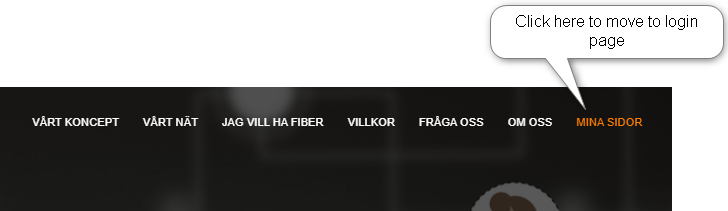
- Both subscribers and admins can log in to the system through the “Mina Sidor” option on the landing page.
- Based on the nature of the user account, the admins and subscribers will be directed to the relevant “My Pages” section.
- There are two user login validation options
- Validate using bank ID
- Validate using User name and password
- There are two types of subscribers
- Private person
- Contract person who represents an organization
Individual login using Bank ID
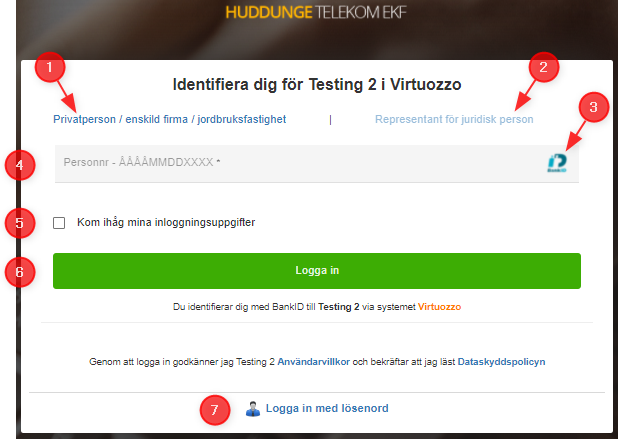
- Nature of the person is selected as “private person”.
- option to set the nature of the person to “contact person of a organization” (This is deselected at the moment).
- Icon indicates that the validation happens through “bank ID”.
- User ID. This is usually the “Social security number” of the person. Format is “YYYYMMDD-XXXX”.
- Option to remember the user ID.
- Click here to proceed with the login.
- Click this option to change the validation method to “user name and password” mode.
Individual login using password
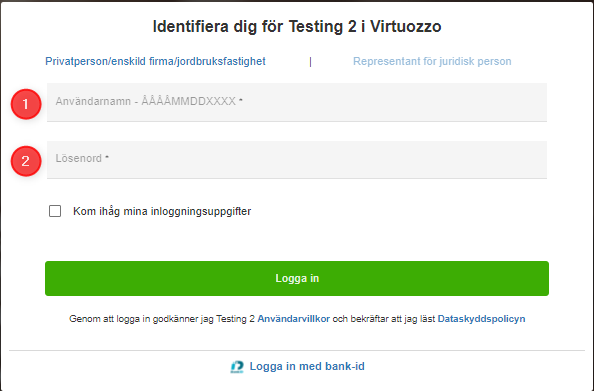
- User ID, This is usually the “Social security number” of the person. Format is “YYYYMMDD-XXXX”.
- Password
Corporate login using Bank ID
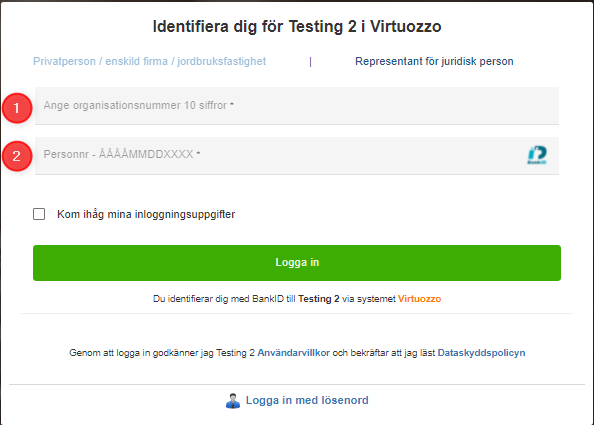
- Organization ID.
- Social security number of the contact person of the organization. Format is “YYYYMMDD-XXXX”.
Corporate login using Password
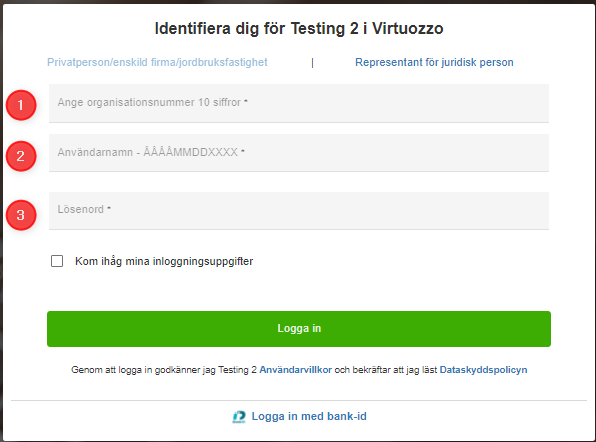
- Organization ID.
- Social security number of the contact person of the organization. Format is “YYYYMMDD-XXXX”.
- Password.